A concept map for teaching Python
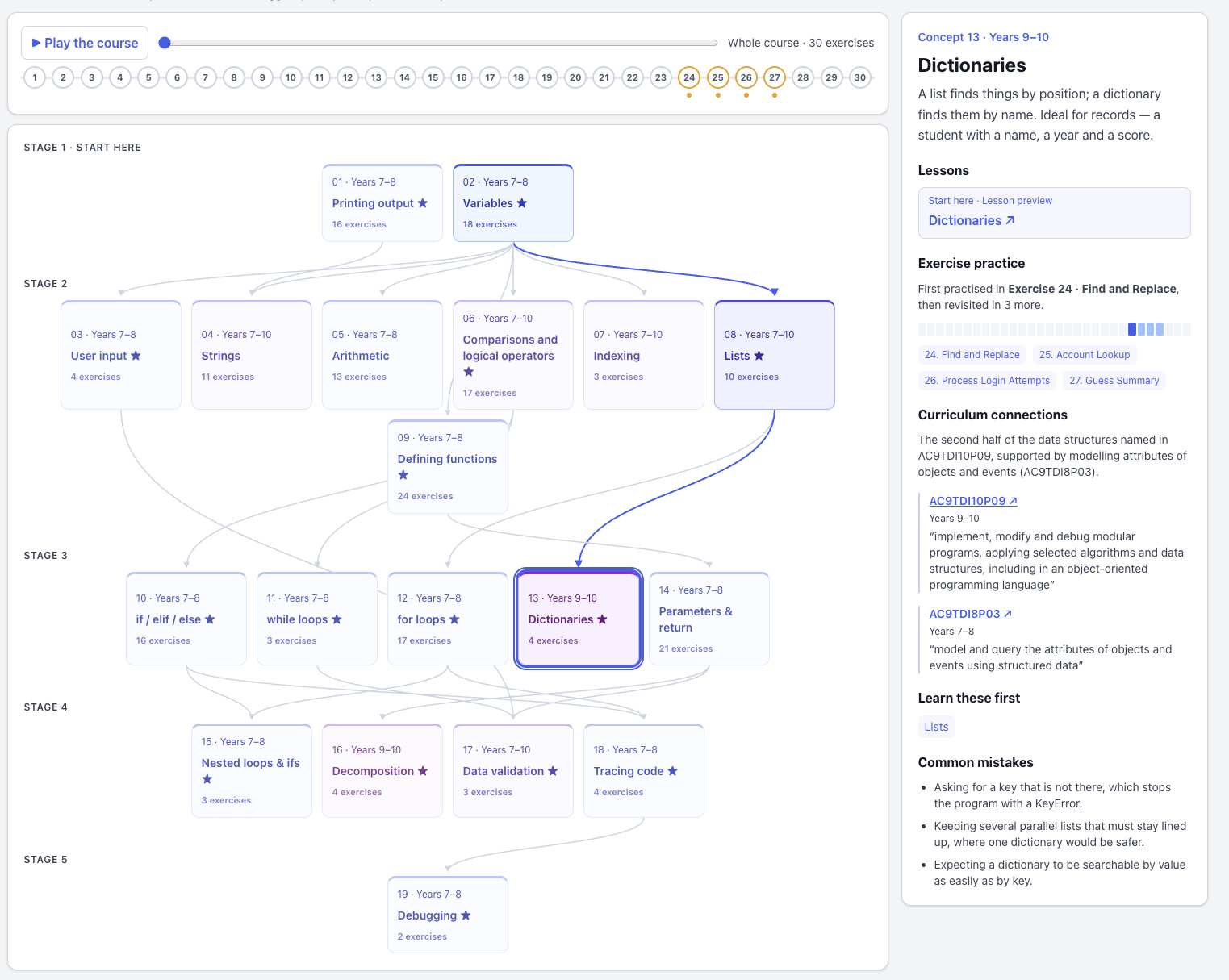
Select Dictionaries to see its lesson, suggested prerequisites, practice exercises, common mistakes and Australian Curriculum connections. The timeline shows where concepts appear and reappear through the course.
Here is the concept map for Python Fundamentals, the flagship course for Agent Games. It brings together 19 core concepts, the lessons that explain them, the exercises that practise them and their Australian Curriculum connections. It started as a nice visual that explains what it takes to learn the basics of Python, and it evolved into a building block that enables better assessment.
How it came about
In July 2026, when I completed the first version of Agent Games for the classroom (it used to be a coding competition platform), I started to think about content. The obvious choice was Python Fundamentals, the most popular course I have written, with over 10,000 students on Udemy and dozens of schools using it. I was using AI to help translate the transcripts and exercises into Agent Games activities, but I had a problem: eight sections and 49 lectures just looked like a big blob of content (or a book index) when pasted on a web page.
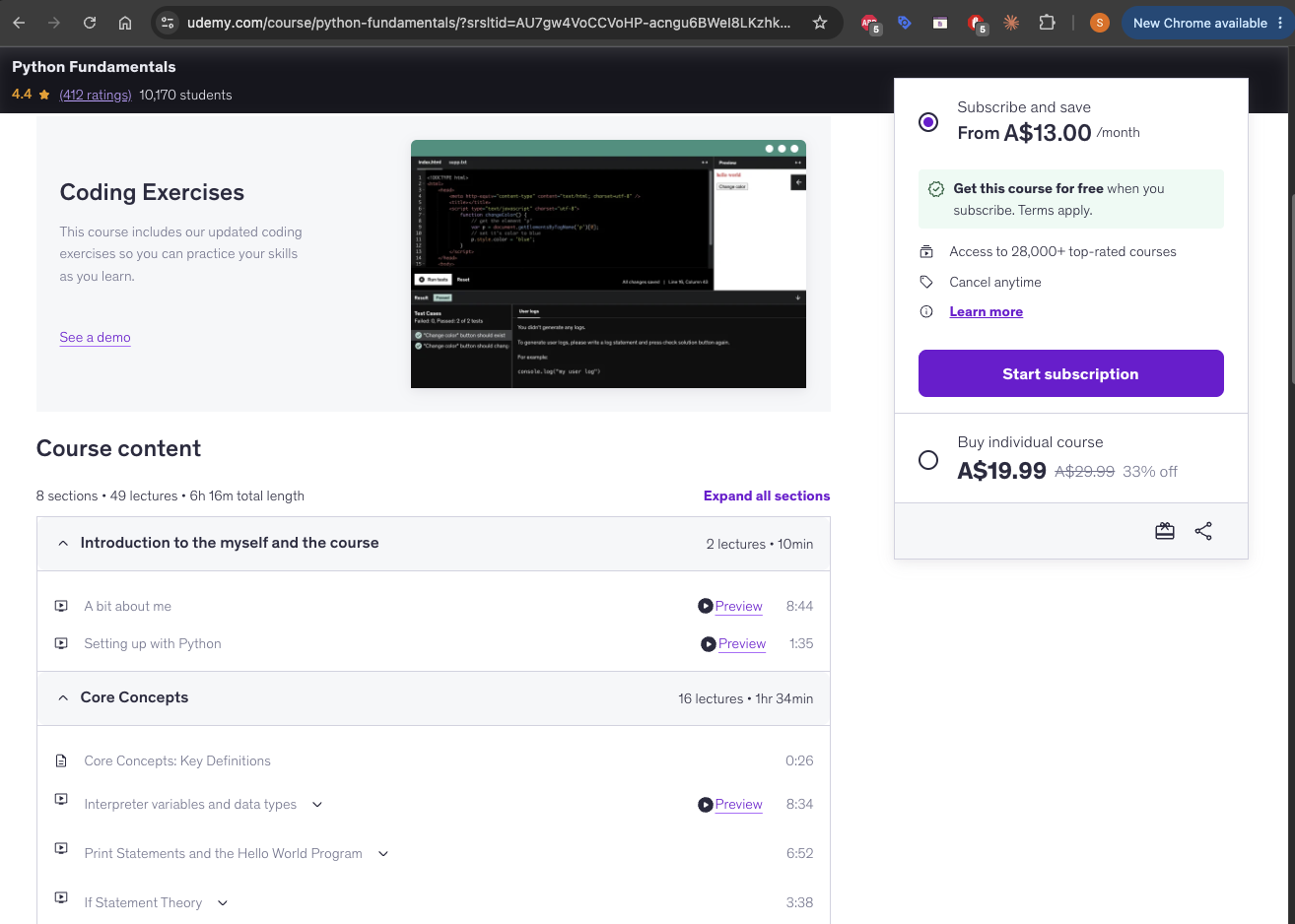
The original Python Fundamentals course on Udemy: eight sections and 49 lectures.
I was hoping for something visual that gave teachers and students a clear idea of what they would be learning. I got my inspiration from Pydantic, who in April this year put all their essential tutorials under 19 headings called concepts. Each of these was a keyword that any developer using Pydantic would recognise.
I decided to do the same. Over about three weeks, I reorganised all the lessons, titling them by concept rather than activity and consolidating them into 19 concepts, some of which had dependencies. The key was naming the concepts with basic terms that most students would easily recognise.
Features powered by the concept map
Concept view in the teacher dashboard
The next question is what the teacher can learn from the exercises students complete. Tagging exercises with concepts lets us look across a student's work. Instead of only seeing which exercises they have completed, the teacher can see how that work relates to loops, functions, dictionaries and the other ideas being taught.
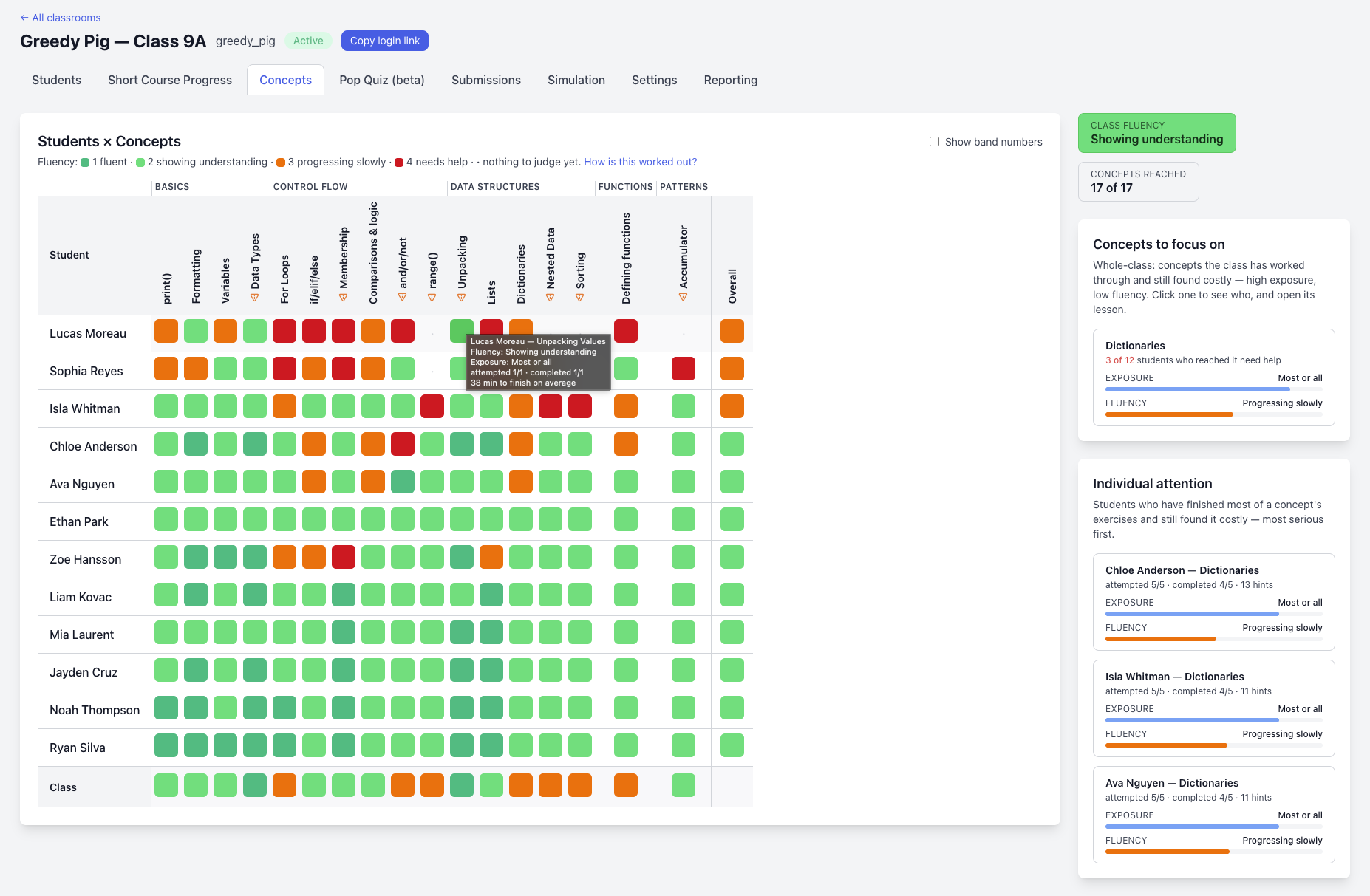
The teacher's Concepts dashboard, shown here for a Greedy Pig class. It brings together students' work by concept and highlights possible areas for whole-class or individual attention.
There are two useful questions here: how much relevant work has a student completed, and how did that work go? The dashboard separates coverage from signals such as time to completion, hints and repeated unsuccessful attempts.
A student who has barely started needs a different response from one who has worked through most of the relevant exercises and is still struggling. These signals give the teacher a starting point for a conversation or a closer look at the student's code.
They do not, on their own, prove understanding. That matters especially when students can use AI to produce working code.
AI-assisted pop quizzes
The concept tags also give teachers a basis for creating focused quizzes.
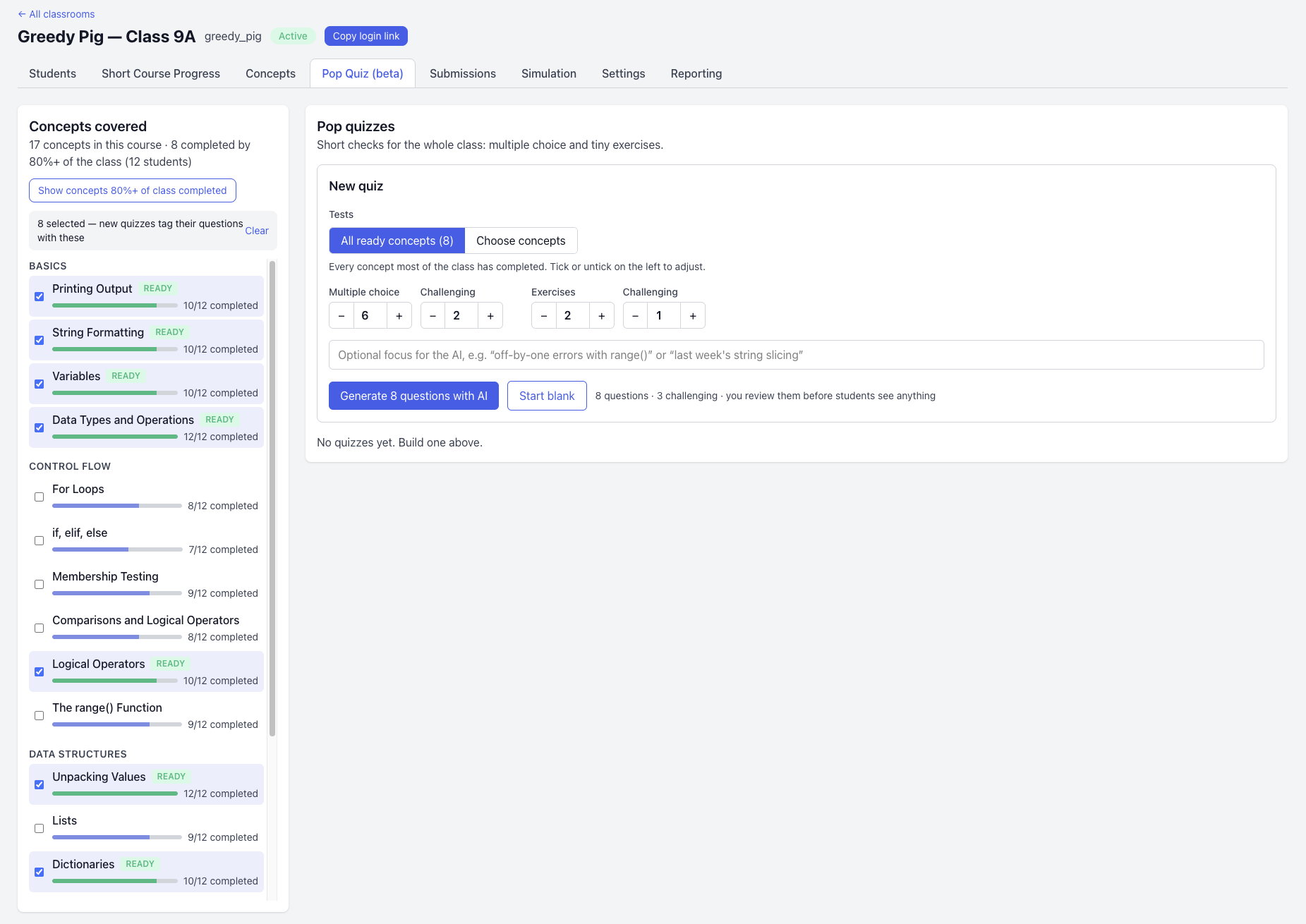
The Pop Quiz dashboard shows which concepts most of the class has covered. Teachers can select concepts and generate a draft quiz containing multiple-choice questions and short coding exercises, then review it before students see it.
The quiz builder suggests concepts based on how much relevant work the class has completed. The teacher can adjust the selection and choose the mix of questions, including how many should be challenging.
This creates a useful connection between practice and assessment. If the class has worked through exercises involving dictionaries, the teacher can follow up with questions that check what students understand about dictionaries. Completion gives us a reason to check; the quiz gives us another source of evidence.
Less and less wrong
The concept map has proven remarkably useful, despite the fact that no two programmers could ever agree on where one concept begins and another ends, especially in a high-level language like Python. That said, I am putting it out there to be criticised, and hopefully, over time, it will get less and less wrong.