Concepts tab
Use Concepts to turn exercise activity into your next teaching move: revisit a difficult idea with everyone, or help the few students who need it. Exercises are tagged with the Python concepts they practise.
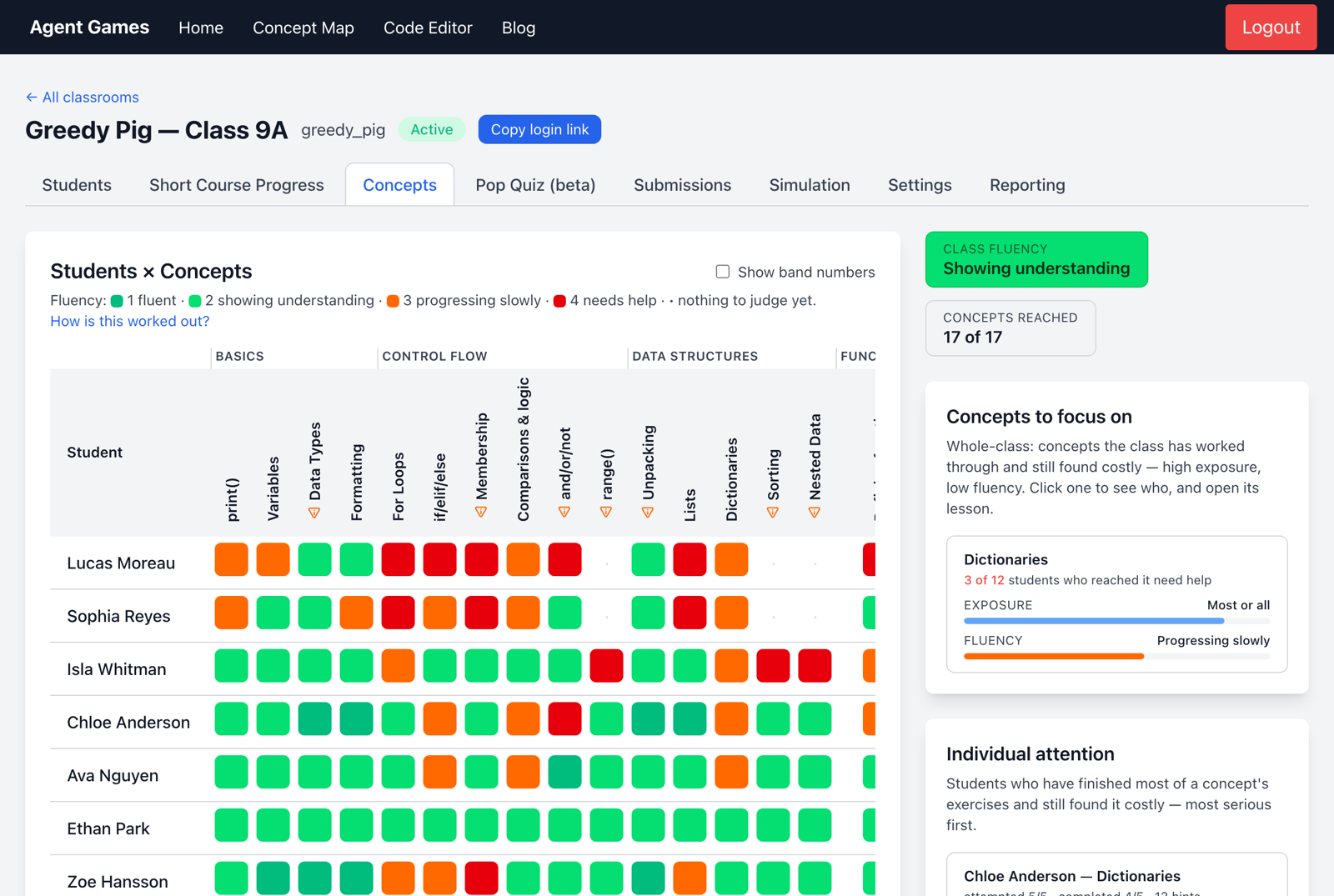
Find the next teaching priority
- Concepts to focus on highlights concepts the class has reached but found difficult. Use these to plan a recap.
- Individual attention highlights students who have completed much of a concept's work but struggled. Use this to plan individual support.
What does fluency mean?
Fluency estimates how easily a student completed the exercises using attempts, time and hints, as well as completion. It is evidence to discuss with the student, rather than a standalone assessment.
| Colour | Meaning |
|---|---|
| Dark green | Fluent |
| Green | Showing understanding |
| Orange | Progressing slowly |
| Red | Needs help |
| · | Not enough work yet to judge |
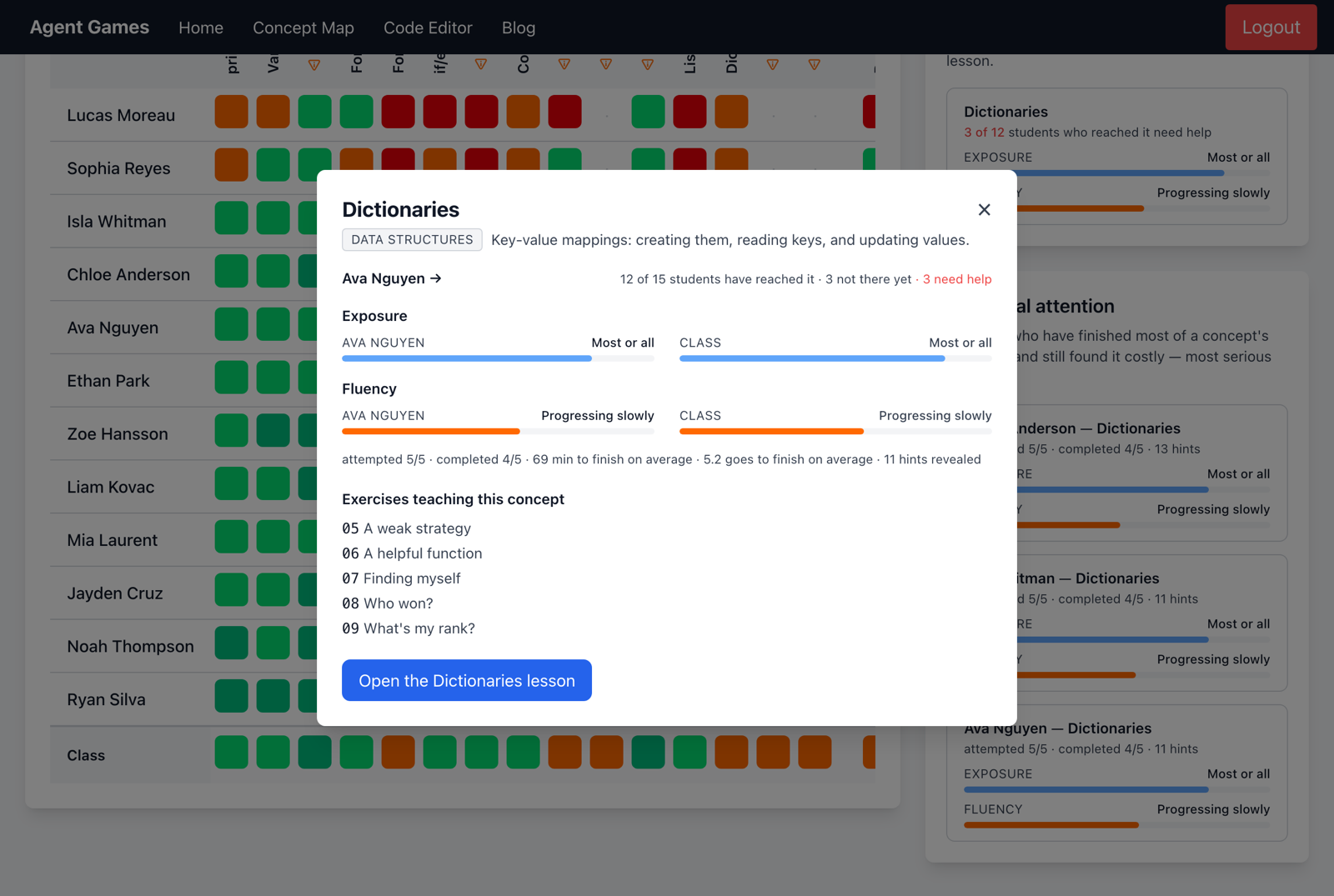
The Class row summarises the group. Open a concept for the exercises behind it, a student's progress and its lesson. How is this worked out? explains the calculation if you need more detail.
Plan with the concept map
The public Python concept map lays out the teaching sequence, lessons, practice exercises and Australian Curriculum connections. Use it when planning a unit or introducing what comes next; the classroom's Concepts tab shows how your own students are progressing through it.