Pop Quiz tab (beta)
Use Pop Quiz (beta) for a short check of understanding before moving on or after reteaching. Combine multiple-choice questions with small coding exercises to see what students can apply independently.
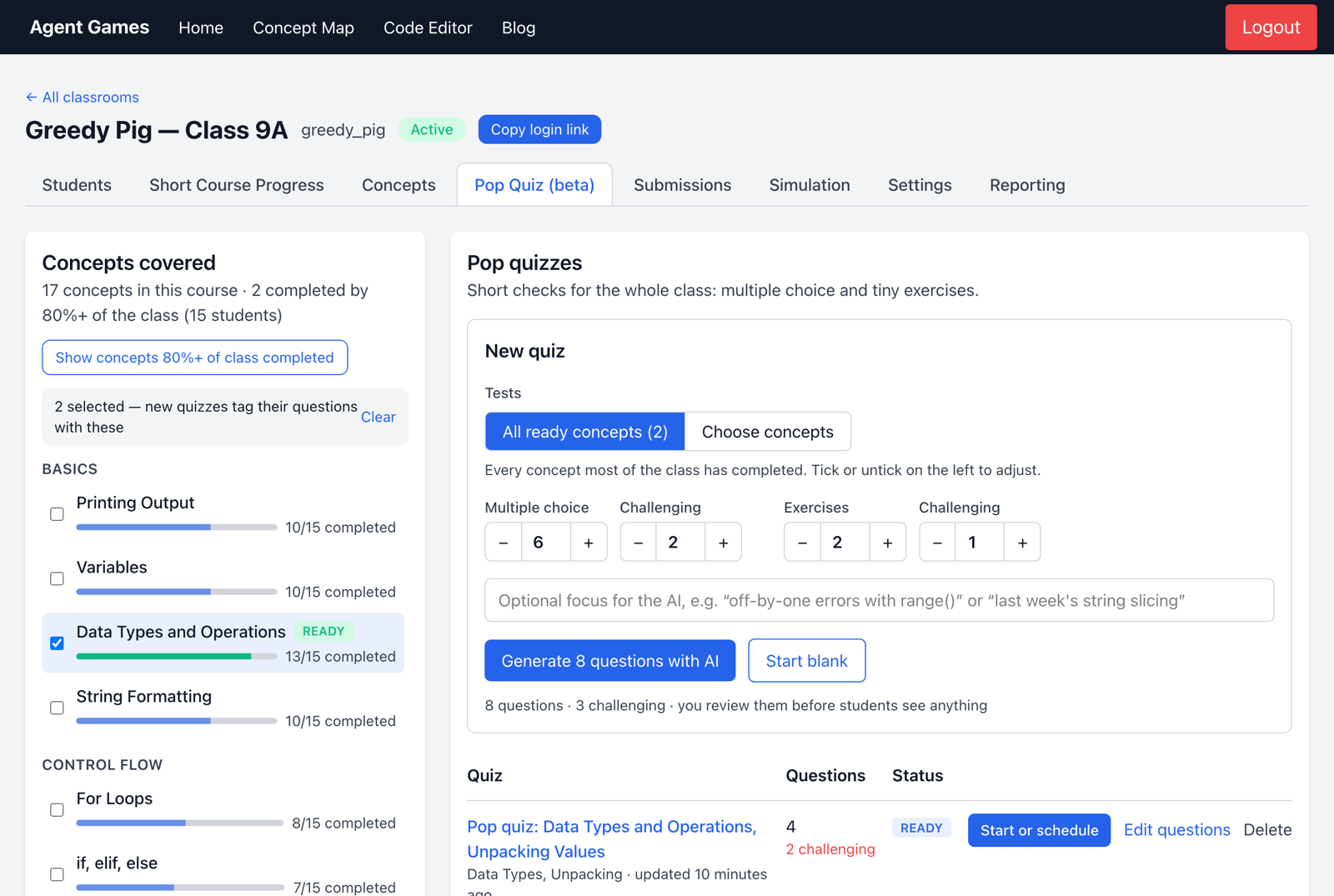
Choose what to assess
The tab shows which concepts students have covered. READY means at least 80% of the class has completed the relevant work; it indicates coverage, not mastery.
Choose ready concepts or a specific selection. You can draft questions with AI, give it a teaching focus such as “off-by-one errors with range()”, or write your own.
Review before students see it
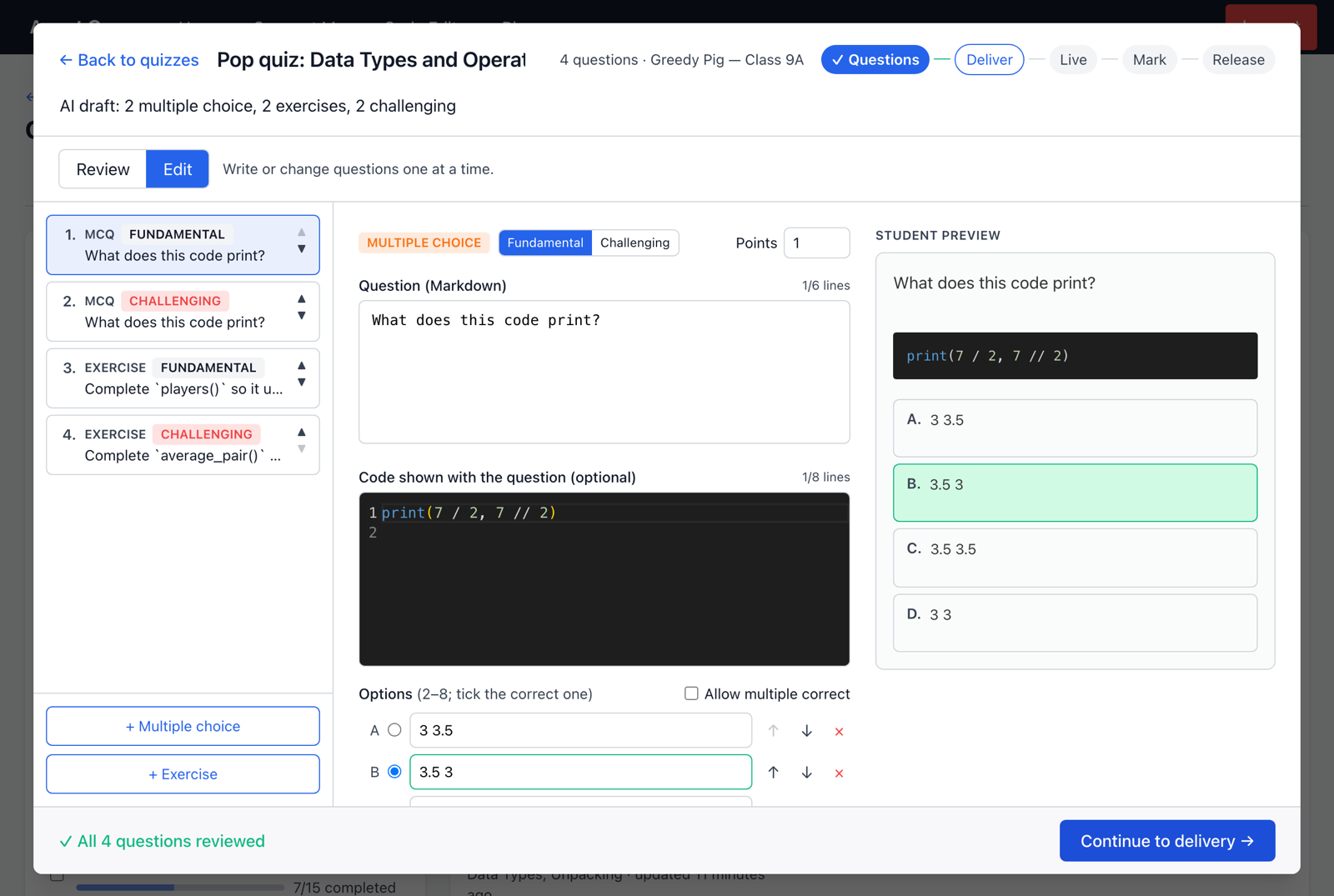
Check the questions, correct answers, coding tests and difficulty. Use Student preview to see the assessment as students will. AI drafts need your review before delivery.
Deliver and review
The workflow is Questions → Deliver → Live → Mark → Release. Start now or schedule the quiz for a lesson. Students find an open quiz on their Home page.
Everyone's quiz closes at the same time, so late joiners have less time. Questions cannot be edited once it opens.
Live shows participation and progress. Multiple-choice responses are marked automatically; coding responses run against their tests in your browser after the quiz closes. Review the results before Release, which makes marks visible to students.
Use common errors to choose your next explanation. Quiz scores also appear in Quiz Avg on Students and in Reporting.