Submissions tab
Use Submissions to see how students improve their code and game strategy over time. Ask students to explain a change, predict its effect and compare that prediction with the results.
An agent is a Python program that plays a game on its own. Students submit agents against built-in validation bots: opponents used to test performance before a class tournament.
Read the submission history
The grid shows each student's last 15 submissions. Each cell gives its placement against the bots: 1 means it beat them all; 6+ means there is room to improve. A red corner dot flags pasted code.
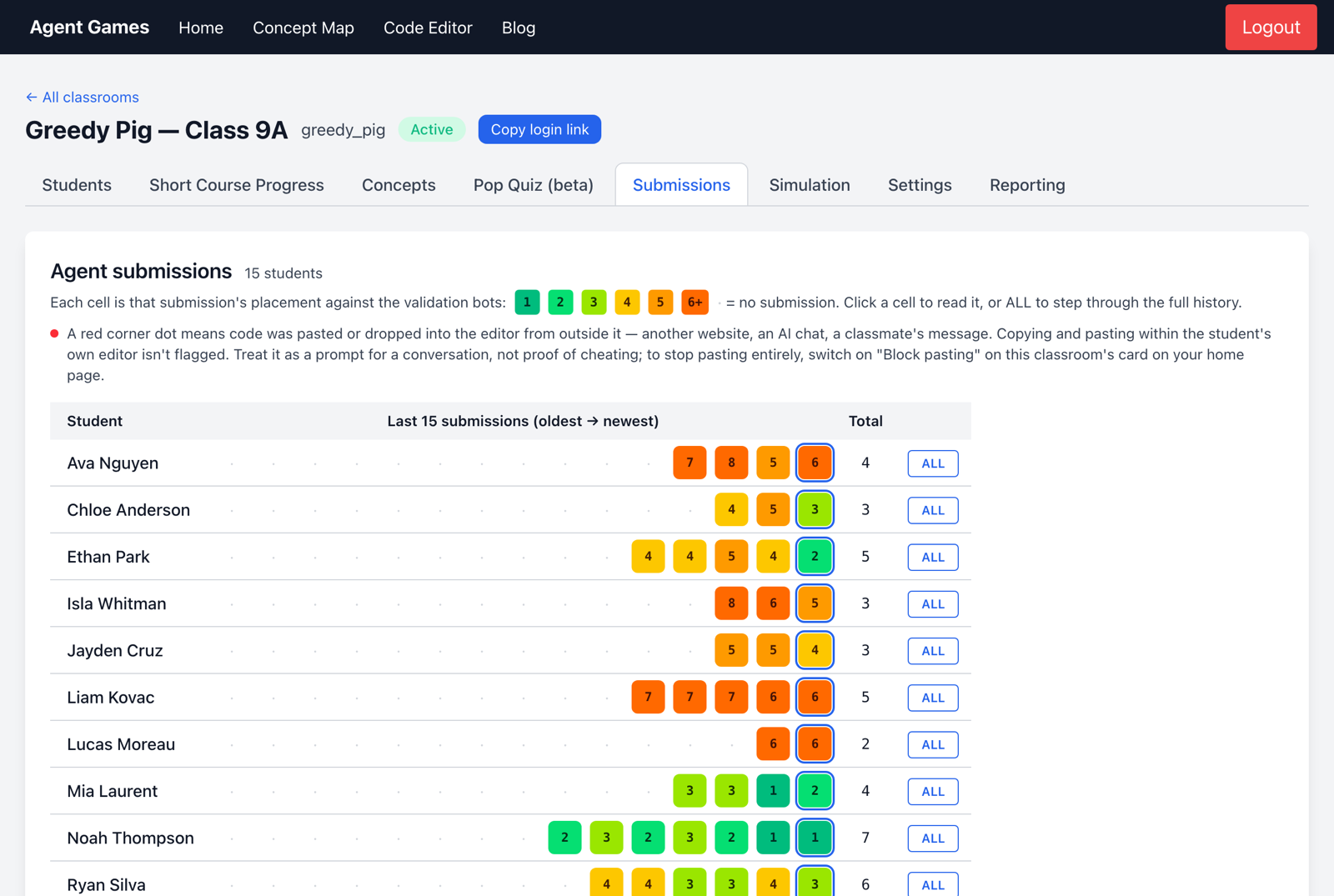
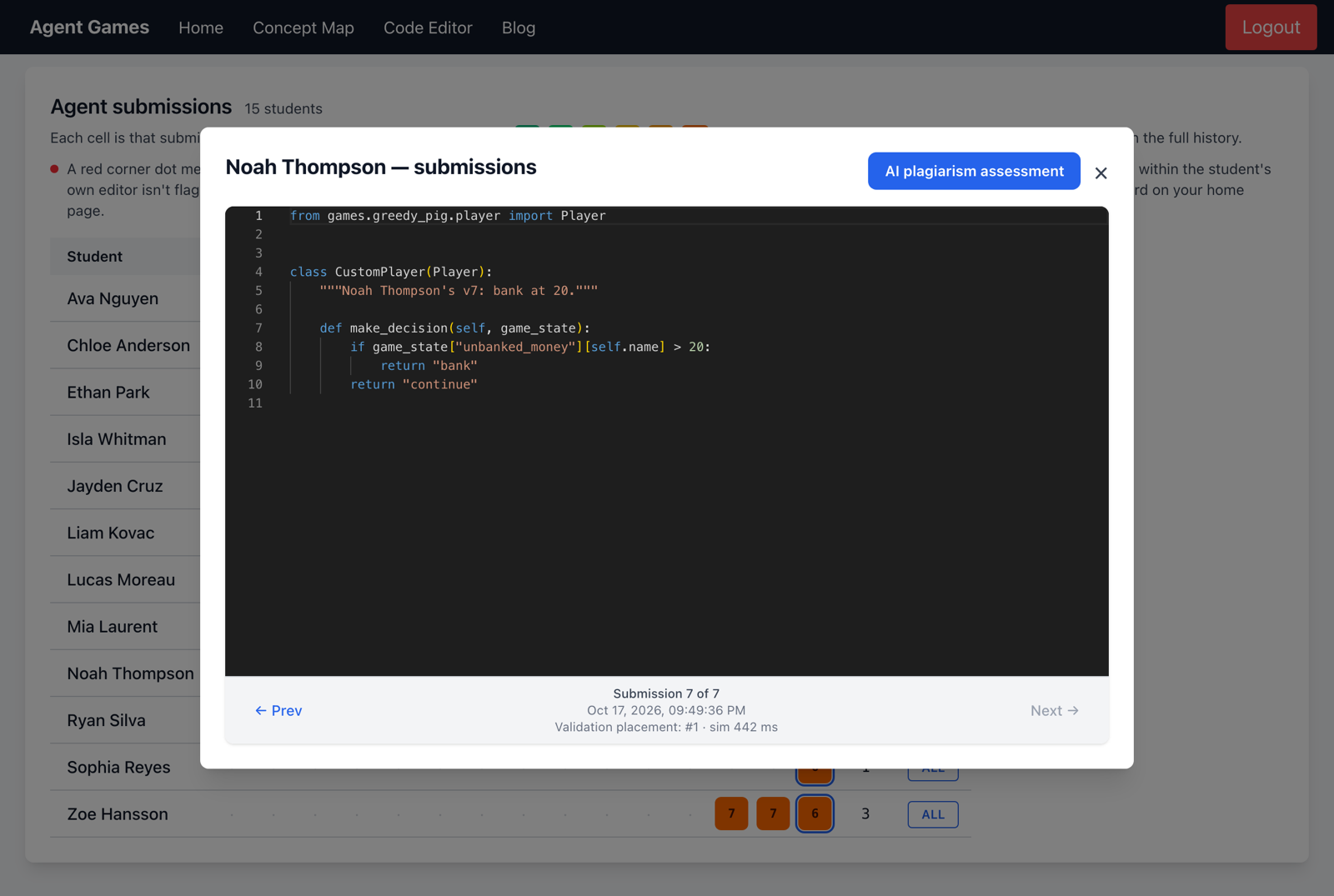
Open a cell to read the code, or ALL to step through the full history. Look for deliberate changes and whether students can explain them, as well as better rankings.
What students see
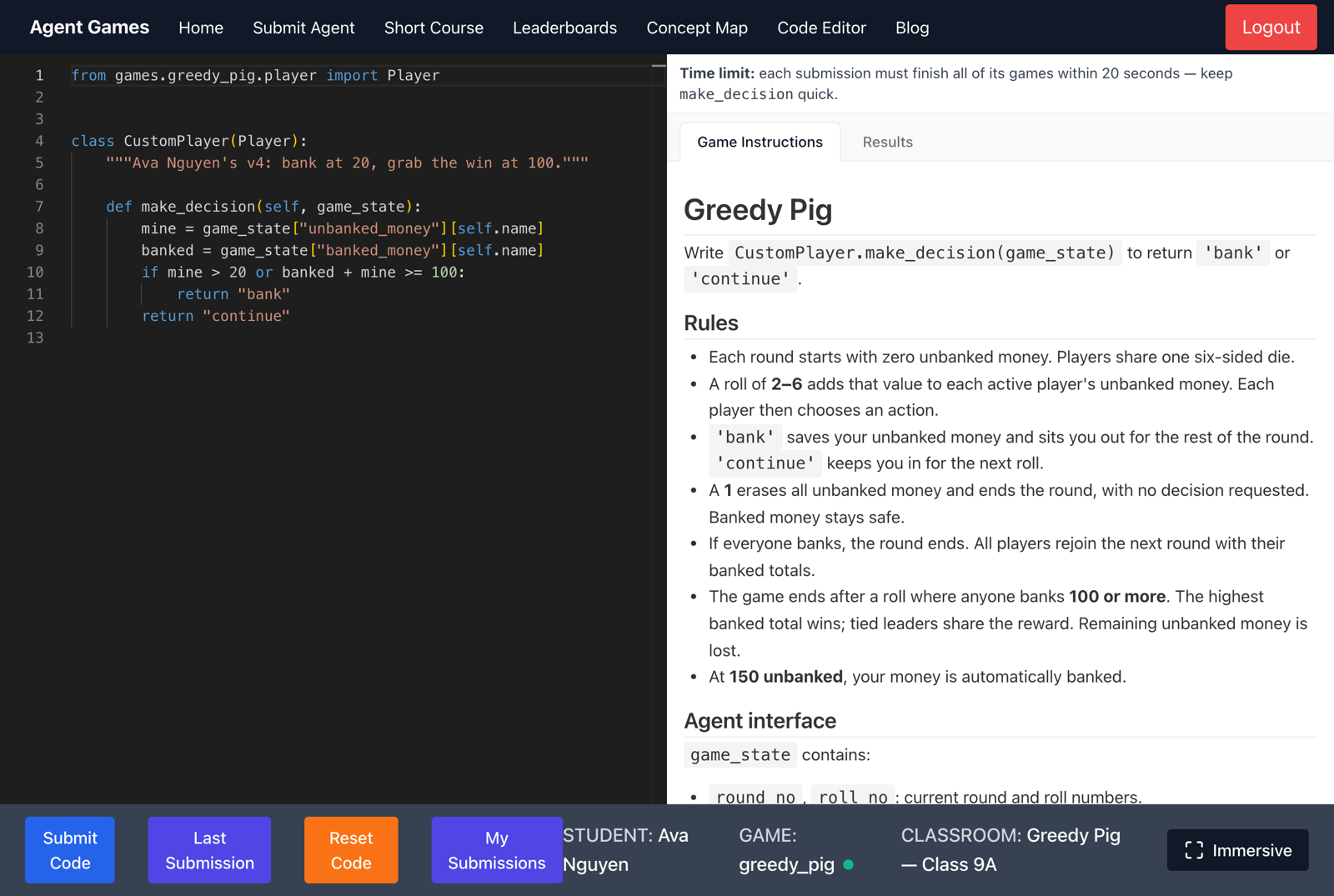
Submit Agent opens the game editor with the rules and agent interface alongside the code. Submit Code tests their agent; Results shows how it placed. Students can request a hint when their code fails.
Discuss independent work
A paste flag or an AI plagiarism assessment can prompt a conversation; neither proves misconduct. Use the student's history and their explanation of the code. See Reporting and academic integrity for more context.
When students are ready to compete against classmates, use the Simulation tab.