Short Course Progress tab
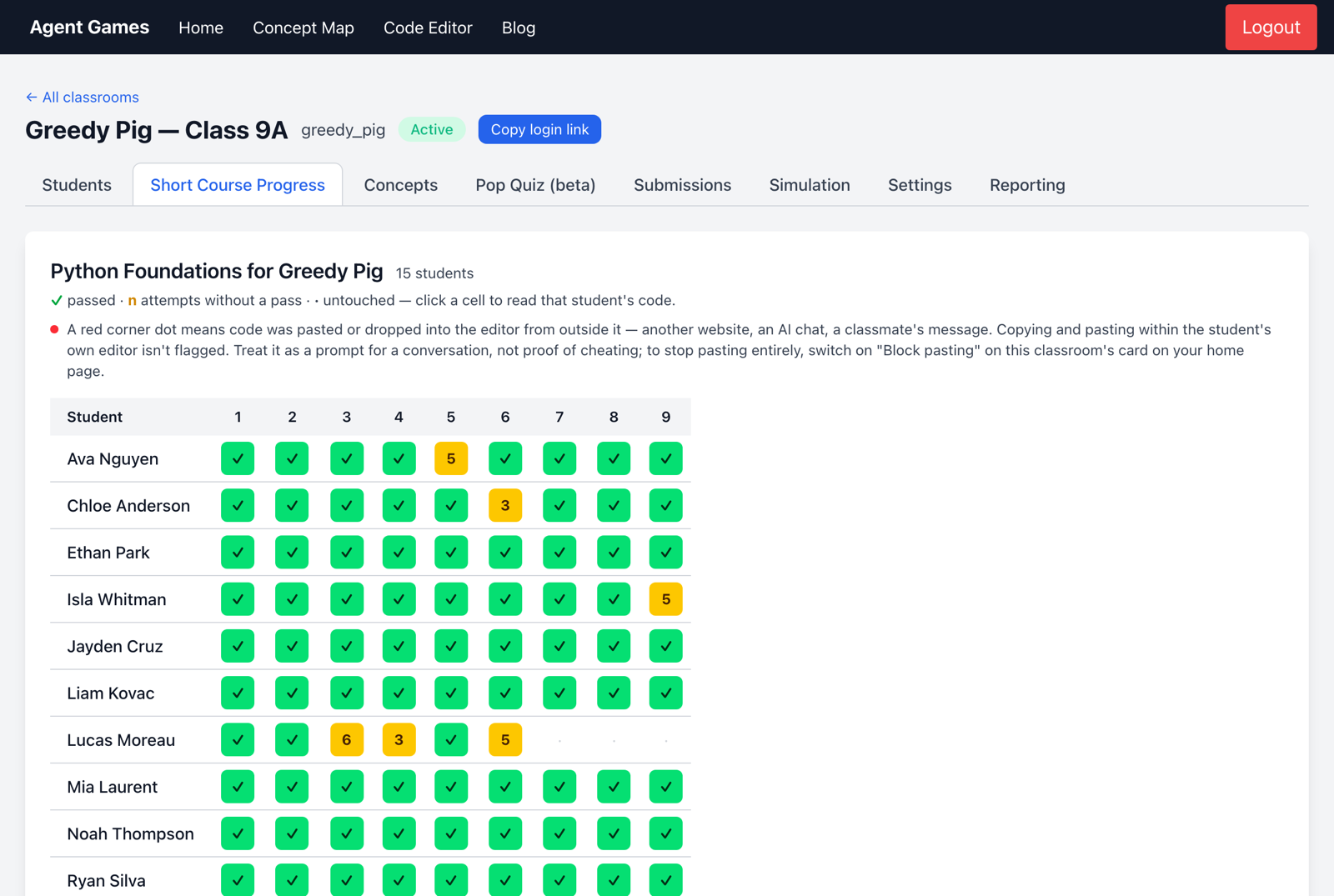
Use Short Course Progress during independent work to see who is stuck and whether several students need the same explanation. The grid shows each student's progress through each exercise.
Read the grid
| Cell | What it tells you |
|---|---|
| ✓ | The student passed the exercise. |
| A number | Attempts without a pass; repeated attempts are a reason to check in. |
| · | The student has not started. |
| Red corner dot | Code was pasted from outside the editor; discuss it with the student before drawing conclusions. |
The Passed row shows where progress slows across the class. If many students stop at one exercise, pause for a shared explanation; if only a few do, offer individual help.
See the thinking behind an answer
Open a cell to read the student's attempts and test results. Step through the submissions to see what they changed, then ask them to explain their approach.
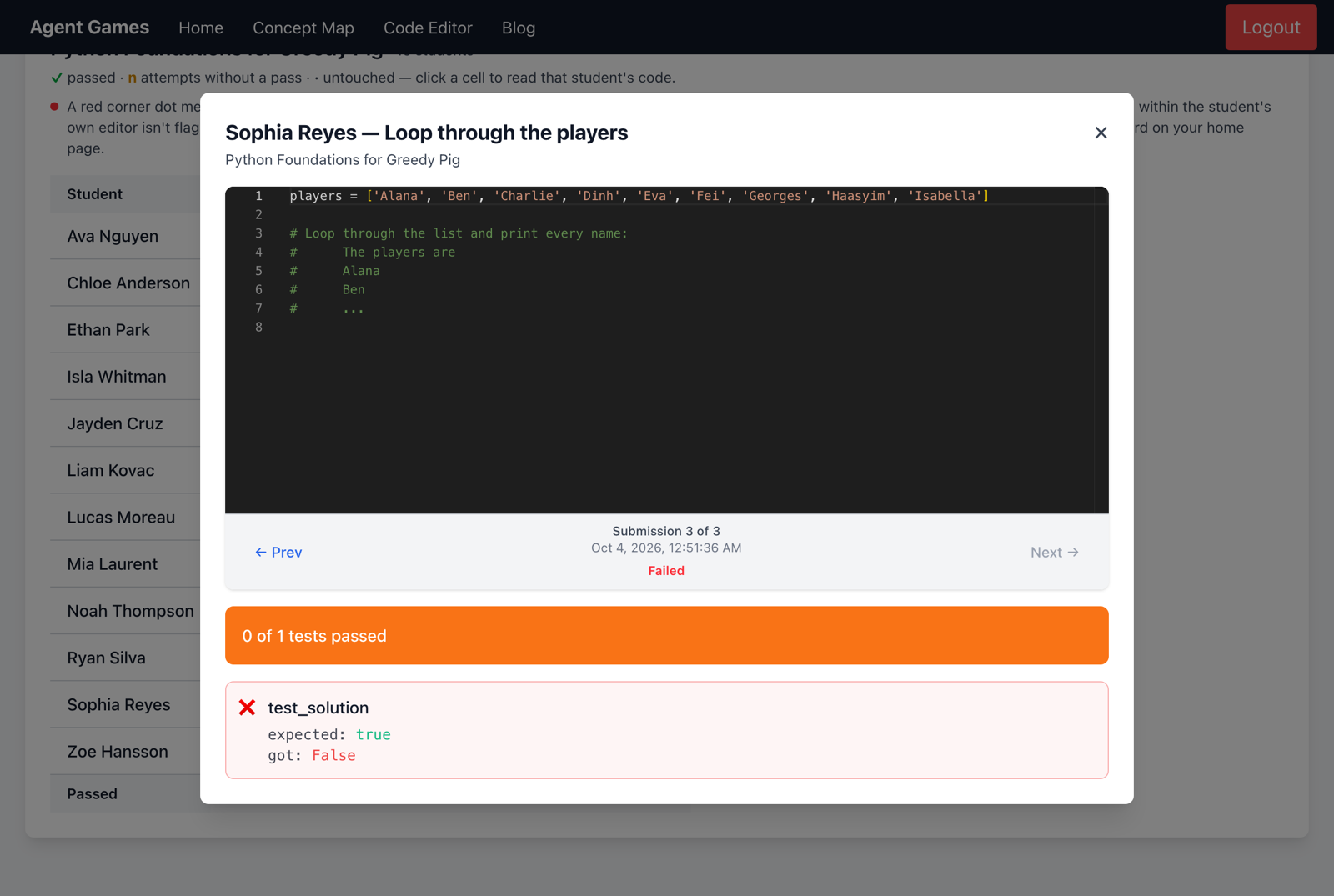
A pass shows that the code met the tests. Use the Concepts tab and a pop quiz for more evidence of understanding.